Designing a Buzz-Worthy Karaoke Night Social Media Post
That moment when the mic is passed, the music starts, and your favorite song's opening notes fill the room is pure, electric energy. Capturing that feeling in a single social media post is the secret to a packed house and an unforgettable event. A well-designed visual doesn't just announce your event—it sells the experience, the laughter, and the chance for everyone to be a star for a night. It’s the difference between a post that gets scrolled past and one that stops thumbs and starts conversations.
Beyond the Flyer: A Versatile Design Asset
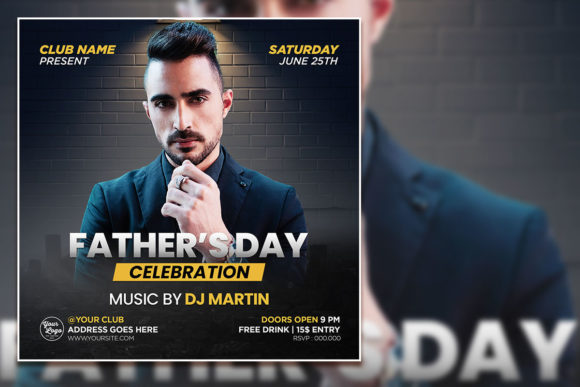
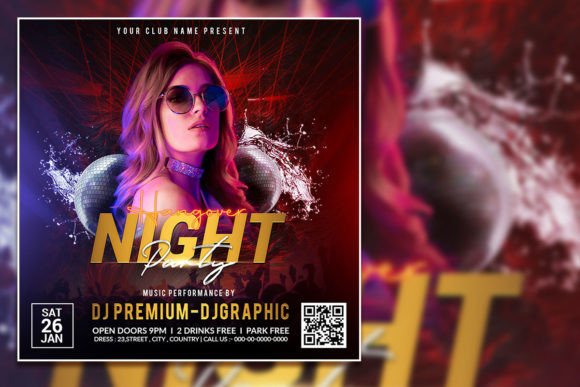
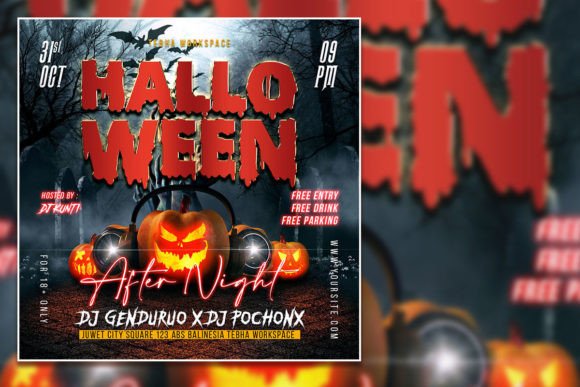
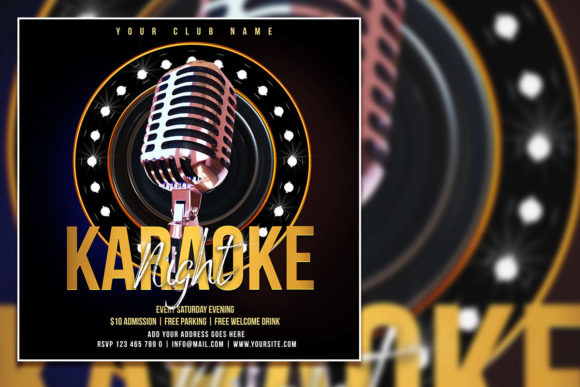
While the primary use might be a Creative Karaoke Night Social Media Post, the real value of a professional, editable template lies in its adaptability. This isn't just a one-time flyer; it's a foundational design asset for your brand's visual toolkit. The editable PSD file, with its organized layers and 300 dpi resolution, means you're not locked into a single use. You can repurpose the core design for a podcast launch graphic, a talk show episode announcement, or a community celebration post. The high-quality 2000x2000 pixel format ensures your visuals look crisp and professional whether they're on Instagram, Facebook, or printed as a poster for a local café.
Think of it as a visual template for engagement. The design elements—bold typography, dynamic layouts, and vibrant color schemes—are crafted to convey excitement and fun. For a small business owner, this means maintaining visual consistency across multiple promotions without starting from scratch each time. For a content creator, it’s a way to establish a recognizable style for your live events or podcast series, strengthening your brand identity with every post.
Practical Applications: From Digital Invites to Merchandise
The utility of a polished, editable template extends far beyond a single social media graphic. Its professional structure makes it ideal for a range of marketing and branding applications, ensuring your event looks cohesive across all touchpoints.
- Social Media Graphics & Stories: Create a series of posts—announcements, countdowns, and recaps—using the same visual language. This builds anticipation and extends the life of your event promotion.
- Digital Invitations & Event Pages: Send stylish, branded invites via email or messaging apps, or use the design as the header for your Facebook Event or Eventbrite page to maintain a professional look.
- Print Materials: The 300 dpi resolution is perfect for printing. Create posters, flyers, or even table tents for the venue itself, ensuring your branding is present from the first promotion to the night of the event.
- Blog & Website Assets: Use the graphic on your website's event calendar or in a blog post recapping the night's highlights. It adds visual interest and reinforces your event's professionalism.
- Merchandise & Promotional Items: Adapt the design for simple merchandise like stickers or a branded microphone cover for your photo booth, turning attendees into walking ambassadors for your next event.
For entrepreneurs and marketers, this flexibility is key. It allows you to create a mini-campaign around your event, using a consistent visual theme that enhances brand recognition and audience engagement. The template acts as a starting point, which you can then customize with your own photos, brand colors, and specific text to make it uniquely yours.
Making It Your Own: The Power of Editable Design
The true magic of an editable PSD template is the control it gives you. All text layers are fully customizable—simply select the text with the type tool in Adobe Photoshop and replace it with your event details, tagline, or call to action. Want to change the font to better match your brand's personality? You can do that too. This level of customization ensures the final product feels authentically yours, not like a generic template you downloaded.
Perhaps the most impactful customization is the ability to replace the photo with your own image. A stock photo is good, but a candid shot from a previous event at your venue, a picture of your team, or a themed image that speaks directly to your audience is infinitely more powerful. This personal touch builds trust and gives potential attendees a genuine preview of the experience they can expect.
When editing, consider the overall mood. The color mode is set to RGB, perfect for vibrant digital displays, but you can adjust the hue and saturation to align with your brand palette. Play with the composition. Maybe your logo needs to be more prominent, or you want to add a simple shape to highlight the date and time. The organized layers make these adjustments straightforward, even for those with basic Photoshop skills.
Aligning Typography with Your Event's Vibe
Typography is a silent communicator of tone. The fonts included in a well-designed template are chosen to work together, but understanding their roles can help you make smarter edits. A display font for the headline grabs attention, while a cleaner sans serif font ensures the essential details—like the "where" and "when"—are easily readable.
If you decide to swap fonts, think about the personality of your event. A retro karaoke night might call for a script font or a bold, vintage-inspired serif font. A modern podcast launch could benefit from a sleek, geometric sans serif font. The goal is visual consistency and readability. A fancy handwritten font might look beautiful for the title, but if it's illegible when scaled down in a social media feed, it fails its primary purpose. Always test your font pairing at the size it will be viewed.
Remember, commercial licensing is crucial if you're using the template for a business. Ensure the fonts included, or any you add, are licensed for commercial use to avoid legal issues down the line. This is a key part of professional design assets management.
From Template to Triumph: Your Next Steps
Start by opening the PSD file in Adobe Photoshop. Familiarize yourself with the layer structure—background, text elements, graphic shapes, and photo placeholders. Begin by replacing the placeholder text with your event information. Then, swap out the stock photo for your own high-quality image that captures the spirit of your karaoke night or podcast. Adjust colors to match your brand identity, and fine-tune the layout until it feels balanced and compelling.
Before you export, zoom in and check for any alignment issues or typos. Export a high-quality JPEG or PNG for social media. If you're printing, consult with your printer on the best file format and color profile (they may require a CMYK conversion from the RGB source file). By taking the time to thoughtfully customize this editable template, you transform it from a generic file into a powerful piece of your marketing strategy—a visual promise of a great time that your audience won't want to miss.