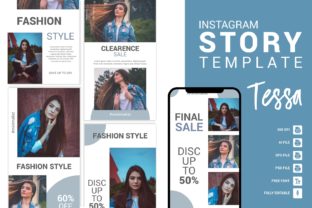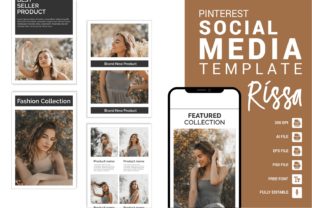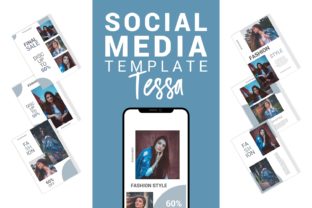
12 Pro Instagram Post Templates: Fashion & Style Edition
Stop scrolling. If you’ve ever found yourself staring at a blank artboard, trying to piece together a high-fashion Instagram grid only to end up with a cluttered, amateur-looking layout, you know the struggle is real. In the fast-paced world of digital marketing, visual consistency is not just a preference; it is a requirement for survival. Whether you are a boutique owner launching a new summer collection, a fashion blogger curating your personal brand, or a social media manager handling multiple accounts, the pressure to produce pixel-perfect content daily is exhausting. This is where a high-quality Fashion Instagram Post Template collection changes the game. It isn't just about saving time; it is about bypassing the creative block and starting your design process from a place of professional polish.
The Architecture of a Clean, Modern Feed
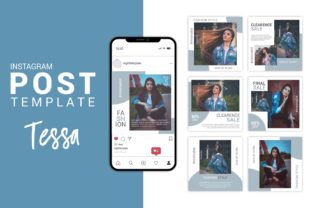
What separates a generic social media post from a piece of high-end editorial content? It usually comes down to negative space, typography hierarchy, and layout structure. This collection, specifically designed for Adobe Photoshop and Adobe Illustrator, focuses on "clean and creative" aesthetics. We aren't talking about busy, over-designed flyers. We are talking about 12 distinct, professional layouts that prioritize the product and the message.
The visual appeal of these templates lies in their minimalism. Fashion thrives on aspiration, and whitespace is the best way to let your photography breathe. With a resolution of High resolution 300 DPI and a perfect pixel shape of 1080 px X 1080 px, these assets are built for the crispness of Retina displays. The vector-based shapes ensure that whether you are viewing the post on a desktop or a mobile phone, the lines remain sharp and the colors pop. It provides that "editorial" look that usually requires hiring a graphic designer, but puts the controls directly into your hands.
Beyond the Feed: Practical Applications for Your Brand
While the primary use case is Instagram, limiting this asset to just social media graphics would be a mistake. Because the files are fully vector-based and organized with layered structure, they serve as a versatile foundation for a wide array of marketing materials. If you are building a brand identity, consistency is key. You can extract elements from these templates to ensure your visual language translates across different mediums.
Here is how you can leverage these designs beyond the Instagram grid:
- Logo Design & Branding: Use the typography and layout styles as a mood board for your logo design. The clean lines can inspire a modern, sans-serif wordmark or a sophisticated serif logotype.
- Packaging Design: If you sell physical products, the minimalist layouts are perfect for hang tags, box inserts, or thank-you cards.
- Editorial Layouts: These templates work beautifully as the basis for digital lookbooks or PDF style guides. The grid structure translates well to magazine layouts.
- Website & Blogs: Need a quick banner for a website sale or a hero image for a blog post? These templates provide the structural backbone for web design graphics.
- Print Materials: From posters and flyers to invitations for a store opening, the 300 DPI setting ensures your prints are crisp and professional.
- Merchandise & Digital Products: If you are creating digital planners or selling merchandise, the "modern typography" and clean shapes provide a premium feel.
Mastering Typography and Color Theory
One of the most significant hurdles in DIY design is typography. A common mistake is choosing a font that looks "cool" but fails to communicate the message effectively. This Fashion Instagram Post Template package comes with a Free font (link included), but the real power lies in the editability.
Because the text is fully editable, you have the opportunity to experiment with font pairing. A general rule of thumb in editorial design is to contrast a heavy, bold header with a light, airy body text. For example, if you are promoting a luxury handbag, you might want to use a sophisticated serif font for the headline to convey tradition and quality, paired with a clean sans serif font for the price and details to ensure readability.
Color psychology plays a massive role in fashion marketing. These templates allow you to change background colors easily. However, don't just pick your favorite color. Consider your audience:
- Monochromatic Schemes: Black, white, and grey create a high-fashion, timeless look suitable for luxury brands.
- Pastels: Soft pinks, blues, and greens suggest a gentle, approachable brand, perfect for skincare or boho fashion.
- High Contrast: Using bright colors against dark backgrounds grabs attention in a crowded feed, ideal for streetwear or sales announcements.
Streamlining Your Workflow: Smart Objects and Layers
For the small business owner or the solo content creator, time is money. The technical structure of these files is designed to minimize friction. Both the Adobe Photoshop File and the Adobe Illustrator File utilize Smart Objects. This means you don't need to manually resize and skew your photos to fit the layout. You simply double-click the layer, paste your image, save, and it automatically fits the template with the correct perspective and masking.
Furthermore, the files are well organized & layered. If you have ever opened a messy PSD file from a free download site, you know how frustrating it is to find the layer you need to edit. Here, every shape, text box, and image placeholder is labeled. This organization is crucial for professional presentation. It allows you to turn off elements you don't need or duplicate layers to create variations without corrupting the file.
Elevating Audience Engagement Through Visual Consistency
Why does visual consistency matter? It builds trust. When a potential customer visits your profile, they make a judgment in less than three seconds. If your feed is a chaotic mix of different fonts, clashing colors, and varying image qualities, it signals a lack of professionalism. Conversely, a cohesive grid—achieved by using a consistent Fashion Instagram Post Template—tells the viewer that you are a serious brand.
Consistency leads to brand recognition. When your followers are scrolling quickly, they should be able to recognize your post by the color scheme or layout style alone, before they even read the text. This is the holy grail of social media graphics. By using these templates, you ensure that even if your photos change daily, the underlying "skeleton" of your content remains stable and recognizable.
Getting Started: Technical Requirements and Usage
To get the most out of these design assets, you will need a basic understanding of Adobe software. The product content includes 12 Clean & Professional Instagram Post Designs in both PSD and AI formats, as well as an EPS file for broader compatibility.
Keep in mind that while the layouts are provided, the photos are NOT included. The images used in the previews are for display purposes only. This is actually a benefit; it ensures you aren't using stock photos that hundreds of other brands are using. You can insert your own original photography, which is vital for authentic brand identity.
Upon purchase, you will receive a zipped file. You will need software like WinZip or WinRAR to extract the contents. Once extracted, you can load the fonts (using the free link provided) and start editing immediately. Whether you are a seasoned graphic designer or a hobbyist just starting out, the "plug-and-play" nature of these templates removes the technical barriers, allowing you to focus on what matters: your creative vision and your brand's story.